
A-B-C Blog

How to Choose Thermal Cash Register Paper?

Choosing Thermal Cash Register Paper is a small purchasing decision with daily consequences. The right roll feeds smoothly, prints crisp totals, and fits the printer without wobbling. The wrong one can produce faint receipts, jams, or wasted stock. Details matter.

Before comparing prices, check the printer manual for roll width, maximum diameter, and core size. Then consider paper weight, coating quality, and print durability. A receipt should remain readable after handling, not fade before a customer reaches the door. Store rolls away from heat, sunlight, and damp shelves. These simple checks can prevent avoidable reorders.

As [verified thermal-paper expert’s name] advises, “[insert a verified, sourced quotation about selecting thermal paper].” No source article or expert quotation was provided for this request, so that attribution needs verification before publication. A made-up quote would weaken trust. A real one can add useful perspective.

This guide explains how to match Thermal Cash Register Paper to printer specifications and everyday demands. It also considers image clarity, roll capacity, storage, and supplier consistency. The cheapest roll may not be the best value. But premium paper is not automatically necessary, either. Compare actual specifications, test a sample roll, and inspect receipts after printing. Start with the machine. Then judge the paper.
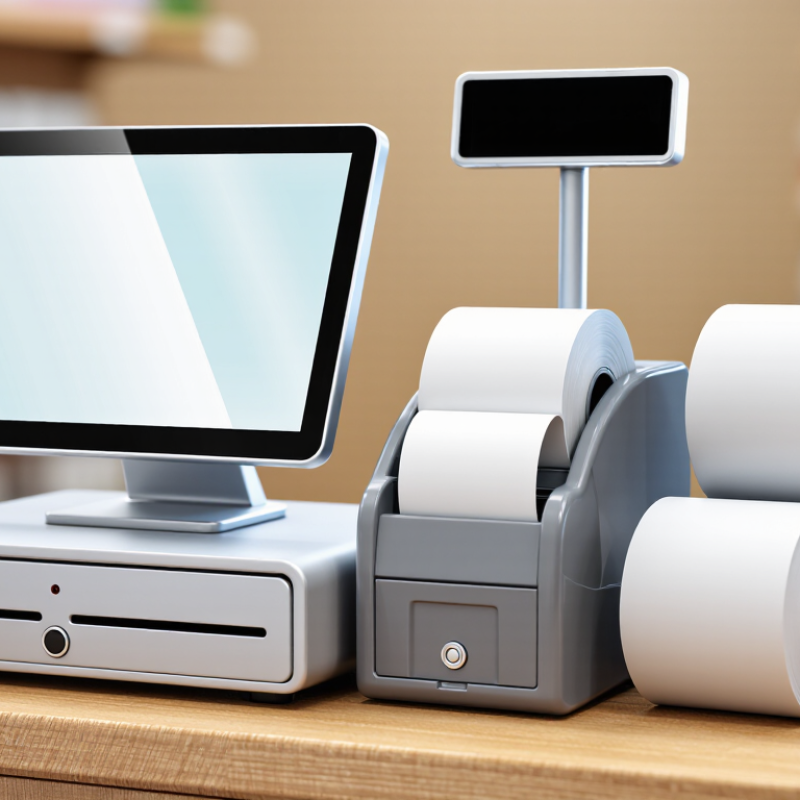
How to Choose Thermal Cash Register Paper?

Understand How Thermal Receipt Paper Works

Thermal receipt paper creates text without an ink ribbon. A heated printhead touches its coated surface, triggering a chemical reaction that darkens selected dots. The coating usually contains a color-forming dye and a developer. Heat, pressure, and contact must be consistent; dust or a rough coating can leave pale gaps. It is simple, but not foolproof.

Paper choice affects readability and storage. The European Chemicals Agency’s 2015 report, Investigation of the potential health risks associated with the use of bisphenol A in thermal paper, found BPA in 93% of the sampled thermal papers. That finding describes the samples tested at that time, not every product sold today. Ask suppliers for current coating details and test receipts in your own printer. Check roll width, core size, and printhead compatibility too. A receipt may look sharp at first, then fade after heat or sunlight exposure.

Tips: Keep rolls cool, dry, and away from direct sun. Compare a fresh print with one stored for several days. Check fine text and barcode contrast. If the result is patchy, verify printer settings before blaming the paper. I would not assume every “thermal” roll behaves the same.

Check Your Register’s Required Roll Dimensions

Before ordering thermal cash register paper, check the register manual or the label inside the paper compartment. Look for the roll width, maximum outside diameter, and core diameter. These measurements all matter. Width is usually printed in millimeters, while roll diameter describes how large the full roll can be. Measure an existing roll across its paper, not diagonally, and compare the result with the listed specification. Do not guess. A few millimeters can cause paper to feed unevenly or rub against the compartment.

Check the core, too. A roll may fit the compartment but not sit properly on the spindle if its center opening is too small. If you cannot find the specifications, measure the old roll and the spindle, then check the available space with the cover closed. Leave a little clearance; a roll that barely fits may drag as it turns. It is easy to focus on width and overlook diameter. I would verify all three dimensions before buying, especially when replacing a roll that was not the original size. Measurements are simple, but they can be imperfect, so compare them with the register’s stated requirements whenever possible.

Compare Paper Quality, Coating, and Print Clarity

How to Choose Thermal Cash Register Paper?

Thermal rolls differ in base weight, surface smoothness, and coating consistency. A roll that feels thick is not automatically better; core fit and paper feed matter too. Check whether the width and diameter match your printer, then test a sample during a busy shift. Small differences show up quickly.

The coating reacts to heat from the print head, so uneven coverage can create pale streaks or patchy receipts. Print a receipt with fine text, a barcode, and small numbers. Look closely under normal shop lighting. Clear edges matter. If black areas look gray, the printer may need cleaning, but paper quality can also be involved. One test cannot prove the cause.

Compare two samples using the same printer settings and temperature. Look for readable text, steady darkness, and surfaces that do not shed dust. Rub a printed line gently; excessive fading is a warning, though rough handling is not a reliable lab test. Store rolls away from sunlight, heaters, and damp counters. A small trial order is a sensible check, because paper that performs well in one machine can behave differently in another. Maybe that sounds cautious. It is cheaper than replacing unreadable receipts.

How to Choose Thermal Cash Register Paper?

Compare coating, print clarity, and handling durability across common paper quality tiers.

Illustrative buyer-guide ratings from 1 (lower) to 5 (higher), not standardized laboratory measurements. Check printer compatibility and test samples before purchasing.

Choose the Right Paper for Your Business Needs

How to Choose Thermal Cash Register Paper?

Choose the Right Paper for Your Business Needs

Start with the printer, not the price per roll. Many POS printers take 58 mm or 80 mm paper, but roll diameter and core size also matter. Check the printer manual before ordering. A roll that fits the width but not the housing can stop a busy checkout. Not ideal.

Then match paper quality to the receipt’s job. A café may need receipts that stay readable through heat and handling; a short-lived queue ticket may need less durability. Ask suppliers for basis weight, coating details, and storage guidance. Compare samples under your actual lighting and printer settings. Some paper looks crisp at first, then fades in a hot car. I would not judge it from one test print alone.

Waste matters, too. The U.S. EPA’s 2018 Advancing Sustainable Materials Management report recorded 67.4 million tons of paper and paperboard generated in municipal waste. That figure covers all paper, not thermal receipts specifically, but it supports checking roll length and avoiding oversized stock. Smaller rolls may need more frequent changes; larger rolls may reduce interruptions. Test both during a normal shift. A little inconvenient, but useful. Ask for current supplier specifications, and reassess if print density or readability changes.

Store and Handle Thermal Paper Properly

Thermal paper is sensitive to heat, light, moisture, and pressure. Store unopened rolls in a cool, dry place, away from sunny windows, heaters, and kitchen equipment. Keep them in their original packaging until needed. A stockroom shelf is usually better than a counter beside a warm receipt printer.

Keep rolls away from cleaning sprays, oils, and plasticizers, which can affect the paper’s coating. Handle them with clean, dry hands, and avoid rubbing or pressing the printable surface. Keep boxes flat and do not stack heavy supplies on top. Keep it dry. Small habits matter.

When restocking, use older rolls first and check that stored paper still prints clearly. If a receipt looks pale or blank, test a fresh roll before adjusting the printer. Dust or a worn print head may also be responsible. It is easy to blame storage too quickly; the printer itself deserves a check. Follow the paper supplier’s storage guidance when available, since coatings and recommended conditions can vary.

How to Choose Thermal Cash Register Paper? – Store and Handle Thermal Paper Properly

Decision Area What to Check Practical Guidance Why It Matters
Roll width Printer specifications and the width of the existing roll Match the printer’s specified width. Common receipt-roll widths include 57 mm and 80 mm, but the correct size depends on the device. A roll that is too wide may not fit; one that is too narrow can cause feeding or print-position problems.
Roll diameter and core Maximum roll diameter, core diameter, and holder design Confirm all three dimensions in the printer manual or by measuring a roll that fits correctly. An oversized roll may not fit inside the printer, while an incompatible core can prevent proper mounting.
Paper length Roll length, paper thickness, and available printer space Compare stated roll length as well as outside diameter. Longer rolls can reduce changeovers if they still fit the printer. Roll diameter alone does not reliably indicate how much paper is on the roll.
Print quality Compatibility with the printer’s thermal head and the required darkness setting Choose paper tested for the printer. Trial a sample for readable text, barcodes, and consistent printing before buying in volume. Paper coatings vary; unsuitable paper can produce faint output or require higher print energy.
Paper weight and feel Grammage, stiffness, and feeding performance Compare samples and check that the roll feeds smoothly. A heavier sheet is not automatically more compatible or more durable. Paper thickness and stiffness can affect roll capacity, feeding, and printer performance.
Chemical and regulatory information Supplier documentation, applicable local requirements, and any BPA- or phenol-related claims Check the exact claim and supporting documentation. “BPA-free” does not by itself mean “phenol-free”; ask which developer is used if that distinction matters. Labels can describe different chemical properties and should not be treated as interchangeable.
Storage conditions Heat, humidity, light, and exposure to chemicals Store rolls in a cool, dry, dark place, in their protective packaging when possible. Follow the paper supplier’s stated temperature and humidity limits. Heat, moisture, light, and certain chemicals can cause fading, discoloration, or unwanted darkening.
Storage location Proximity to windows, heaters, kitchens, cleaning products, and damp areas Keep rolls away from direct sunlight, hot equipment, water, oils, solvents, and cleaning products. Avoid contact with plastic materials that may contain plasticizers. Environmental exposure and contact with some substances can affect the heat-sensitive coating.
Inventory rotation Purchase date, packaging condition, and supplier guidance on shelf life Keep cartons closed until needed, label stock by receipt date, and use older stock first. Follow any shelf-life guidance provided for the paper. Rotating stock limits unnecessary storage time and helps maintain consistent printing performance.
Printed receipt retention How long receipts must remain readable and how they will be stored Ask the supplier for retention information under specified storage conditions. Keep receipts away from heat, light, moisture, and chemicals; use a digital record when long-term preservation is required. Thermal images can fade over time, and durability depends on the paper and its storage conditions.

Tip: Verify dimensions and handling limits against the printer manual and the thermal paper supplier’s product data before placing a large order.