A-B-C Blog
7 Tips for Choosing the Best Digital Printer
Choosing a Digital Printer is not just a matter of comparing prices or choosing the fastest machine. The right model should match the work you actually produce, from crisp business cards to short-run brochures and color-rich labels. A printer that excels at one job may struggle with another. Paper size, media compatibility, print volume, color consistency, and finishing options all affect the result. So does the space available in your shop or office.
Look beyond the headline specifications. Check the cost and availability of ink or toner, ask about routine maintenance, and confirm how easily the printer connects to your existing workflow. If possible, examine sample prints on the materials you plan to use. Fine text may look sharp on one stock and less clear on another. A neat spec sheet can still hide a poor fit. That detail is easy to overlook.
These seven tips will help you compare options with practical questions, not marketing claims alone. Consider who will operate the machine, how often it will run, and what support the seller provides. Request clear answers about warranty coverage and expected operating costs. Small details matter. No single printer is best for every buyer, and the cheapest choice may cost more over time. A careful shortlist can make the decision easier, though it cannot replace testing your own print samples. Use the guidance here to find a dependable match for your needs, budget, and daily workload.
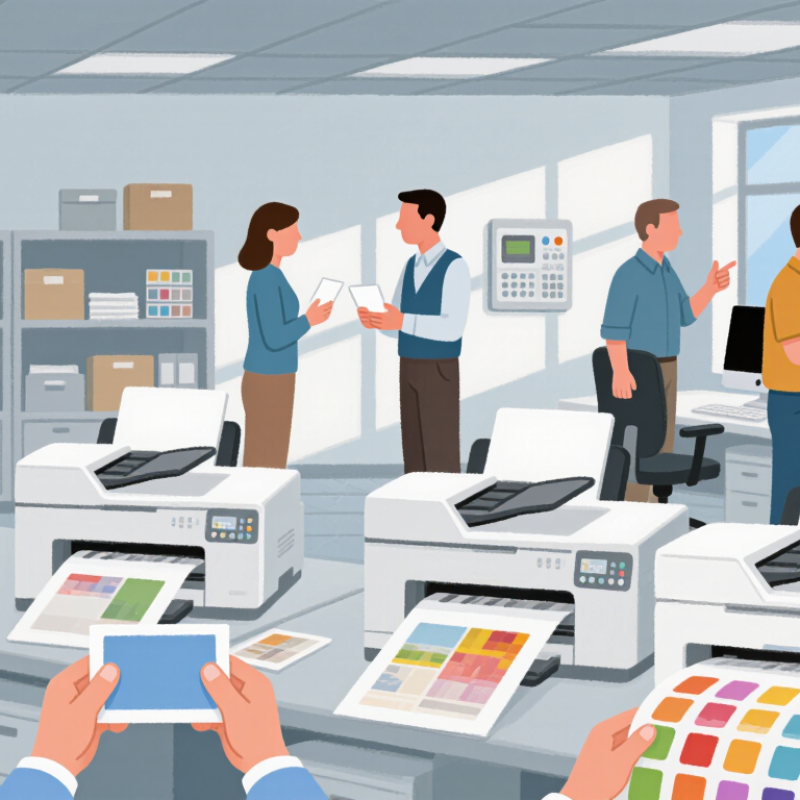
Identify Your Printing Needs, Volume, and Intended Uses
Before comparing digital printers, write down what you actually print. A home office producing contracts has different needs from a studio making vivid event posters. Start with the job. Note typical page size, color requirements, and whether prints need sharp photographs or simply readable text.
Estimate your normal monthly volume, then consider busy weeks. A printer that handles occasional reports may struggle with repeated batches, even if its advertised speed looks adequate. Record the largest print run you expect and how often it happens. These estimates are rarely exact; tracking one ordinary week may reveal that your guess was off. Ask to see a sample printed on the paper you plan to use.
Think about where each print will go. Handouts need clear text and reliable double-sided printing. Photos may need smoother gradients, while notices might need durable paper that tolerates frequent handling. Check supported paper sizes and weights before choosing. Also consider space, noise, and how often someone can refill supplies. The fastest option is not automatically the best fit. A small mismatch, like a tray that cannot hold your usual paper, can become an everyday annoyance.
Compare Printer Types, Print Quality, and Media Compatibility
Choosing a digital printer starts with the job, not the machine’s headline speed. Electrophotographic systems can suit short-run documents and crisp text; inkjet systems often handle varied formats, including large graphics. Smithers’ The Future of Digital Printing to 2032 estimates the market at $136.7 billion in 2022 and forecasts $230.5 billion by 2032. That growth reflects varied applications, not one printer that fits every shop. Compare rated speed with the speed at your intended resolution and workload. It matters.
Print quality depends on more than advertised dots per inch. Examine small text, smooth gradients, skin tones, and solid color on samples made with your files. Then test the exact media you plan to use. Check paper weight, thickness, coating, sheet size, and roll width against the printer’s specifications. For labels, packaging, or textured stock, confirm ink or toner adhesion and drying behavior; a glossy sample can hide problems on uncoated paper. Fogra’s ProcessStandard Digital provides a practical framework for checking color consistency and repeatability. Ask for repeat prints, not just one impressive sheet. I would still leave room for doubt: a showroom sample rarely captures the dust, humidity, and rushed deadlines of a real production floor.
Assess Speed, Connectivity, and Workflow Features
A printer’s stated speed is only a starting point. Check whether the rating applies to color, duplex, or draft printing, since those settings change output time. Numbers can mislead. Ask to run a sample job using your usual paper and image coverage. Time a 30-page mixed document, including the first page, not just the steady printing rate. Warm-up delays and heavier stock can turn a fast specification into a slow workday.
Connectivity should fit the way people actually send jobs. Check for reliable Wi-Fi and wired network options, plus support for the computers and mobile devices in your office. If several staff members print at once, test whether jobs stay in the right queue and recover after a brief network interruption. A showroom demonstration may not reveal those snags. It is tempting to focus on the fastest number; that can be a mistake.
Workflow features can save more time than raw speed. Look for clear status alerts, simple driver settings, and useful controls for color, paper size, and finishing. Print a file from each common application, then note how many steps it takes. Small details matter. Can users find a stalled job quickly? Does the printer warn them before paper runs out? A little friction is easy to overlook during a demo, and real staff may use features differently than expected. Test with the people who will use it daily.
7 Tips for Choosing the Best Digital Printer
Compare the features that matter to your team, from print speed and connectivity to day-to-day workflow.
Illustrative example: scores show a sample buyer’s priorities on a 1–5 scale, not measured product specifications. Rate candidate printers against your own workload and requirements.
Compare Purchase Costs, Supplies, and Maintenance Needs
7 Tips for Choosing the Best Digital Printer
Compare the purchase price with expected costs over three to five years. List toner or ink, drums, waste containers, and any required service visits. ENERGY STAR’s imaging-equipment specifications use Typical Electricity Consumption, measured in kilowatt-hours per week, to assess energy use. The U.S. Energy Information Administration reported an average commercial electricity price of about 12.7 cents per kilowatt-hour in 2024. At that rate, a printer using 2 kWh weekly costs roughly $13 annually for electricity. That is only an illustration; actual use varies with print volume and settings.
Tip: Request a cost-per-page estimate for your own mix of text, color, and photos. Check what is included. A low quoted rate may exclude replacement parts or service.
Before buying, compare maintenance intervals, warranty coverage, and the prices and rated yields of replacement supplies. Ask how often the drum or fuser may need attention under your expected workload. A printer that sits idle can still need cleaning, while heavy use can bring maintenance forward. Don’t treat a published yield as a promise: coverage, paper, and print settings affect real results. If possible, test a sample job and record supply use. I’ve found that this small check can expose gaps in an estimate, though it won’t predict every repair.
7 Tips for Choosing the Best Digital Printer — Compare Purchase Costs, Supplies, and Maintenance Needs
| Tip | What to Compare | Typical Options and Considerations | Practical Buying Check |
|---|---|---|---|
| 1. Match the printer to your workload | Monthly print volume and peak demand | Home and small-office printers are generally suited to lighter workloads. Departmental and production printers are designed for higher volumes and may offer faster output, larger paper capacity, and more robust duty cycles. | Estimate average and busiest-month page counts. Choose a model whose recommended monthly volume comfortably covers your normal workload. |
| 2. Compare the upfront purchase cost | Printer price, included supplies, and required accessories | Basic personal printers may cost roughly $100–$300; office models often range from about $200 to over $1,000. Wide-format and production equipment can cost several thousand dollars or more. These are broad, illustrative USD ranges. | Request a complete quote that includes starter supplies, trays, finishing options, delivery, installation, and any required software. |
| 3. Calculate cost per page | Ink or toner yield and the cost of replacement supplies | Costs vary substantially by coverage and supply yield. As a broad guide, monochrome office laser printing may be a few cents per page; color printing is usually higher. High-yield ink-tank systems can have low supply costs, while cartridge-based printing may cost more per page. | Compare manufacturer-stated yields using the same standard, and estimate cost at your actual mix of black-and-white, color, and image-heavy pages. |
| 4. Check the supplies you will need | Consumables, replacement frequency, and availability | Depending on the technology, recurring items can include ink or toner, drums, waste containers, printheads, transfer components, rollers, or specialty media. Some parts are separate supplies; others are replaced as a combined unit. | List every user-replaceable item, its rated yield, typical price, and local availability. Include paper and specialty media in the budget. |
| 5. Evaluate maintenance requirements | Cleaning, service intervals, downtime, and repair support | Inkjet devices may need printhead cleaning, especially after periods of infrequent use. Laser printers may require periodic replacement of rollers, drums, or fusers, depending on design and usage. Higher-volume equipment may need scheduled technician service. | Review the maintenance schedule and warranty terms. Ask about service response times, labor charges, and the availability of loaner equipment if downtime is costly. |
| 6. Choose the right speed and output quality | Pages per minute, first-page time, resolution, and media handling | Advertised speeds may differ from real-world output, particularly for color, duplex, or complex jobs. Resolution alone does not determine quality; paper type, color control, and the print engine also matter. | Test representative documents and images. Confirm supported paper sizes, weights, duplex printing, finishing features, and the speed of the jobs you print most. |
| 7. Compare total cost of ownership | Purchase, supplies, maintenance, energy, and expected service life | A lower-priced printer can cost more over time if its supplies are expensive or it needs frequent service. A higher initial investment may be worthwhile for a busy team if it reduces per-page costs and interruptions. | Estimate costs over three to five years using your expected page volume. Include supplies, service, energy use, accessories, and the cost of downtime. |
Cost ranges are indicative estimates in USD, not quotes. Actual prices and operating costs vary by printer configuration, region, page coverage, media, usage, and service plan.
Check Reliability, Warranty Coverage, and Service Support
A printer may produce sharp proofs in a short demo and still struggle through a full production shift. Ask for service logs from comparable machines, including repeat faults, average repair time, and parts availability. Request a live test with your paper weight, job size, and daily volume. Look for jams, color drift, and slow warm-up. Small failures add up.
Deloitte’s 2017 analysis, “Predictive Maintenance and the Smart Factory,” reported that predictive maintenance can reduce downtime by 5% to 15% across industrial settings. That is not a printer-specific guarantee, but it shows why maintenance records matter. Check whether the warranty covers labor, travel, printheads, and replacement parts, and note exclusions in writing. Ask how quickly support responds, whether technicians are local, and what happens if a critical part is unavailable. Get the service level agreement before signing. Ask for records. A fast callback is not the same as a quick repair. One weakness in any checklist: it cannot predict every peak-season jam. I would still compare the support team’s written promises with references from customers running similar workloads.