A-B-C Blog
10 Tips for Choosing the Right Printing Device?
Choosing the right Printing Device affects daily efficiency, operating costs, document quality, and workplace security. A device that looks affordable may consume expensive toner, require frequent maintenance, or struggle with heavy workloads. The best choice depends on how often you print, what materials you handle, and who uses the machine.
Start with real working conditions. A small office printing invoices may need a quiet monochrome laser printer with automatic duplexing. A design studio may require accurate color, wider media support, and professional calibration. Check the recommended monthly duty cycle, print speed, paper capacity, connectivity, and replacement cartridge prices. Do not trust speed claims alone. They often describe ideal testing conditions.
Details matter.
Reliable guidance should come from manufacturer specifications, independent testing, and feedback from experienced users. Look for recognized energy-efficiency certifications, clear warranty terms, firmware support, and accessible service options. Network features also deserve careful attention, especially when multiple employees send confidential documents. Secure authentication, encryption, and user access controls can reduce avoidable risks.
Still, no checklist predicts every workplace perfectly. I have seen buyers choose premium models that remained underused, while cheaper devices failed under ordinary demand. My own judgment can be imperfect, too. A practical evaluation should include sample documents, noise levels, setup time, and a realistic cost-per-page calculation. These ten tips will help compare performance with long-term value, rather than focusing only on the purchase price.
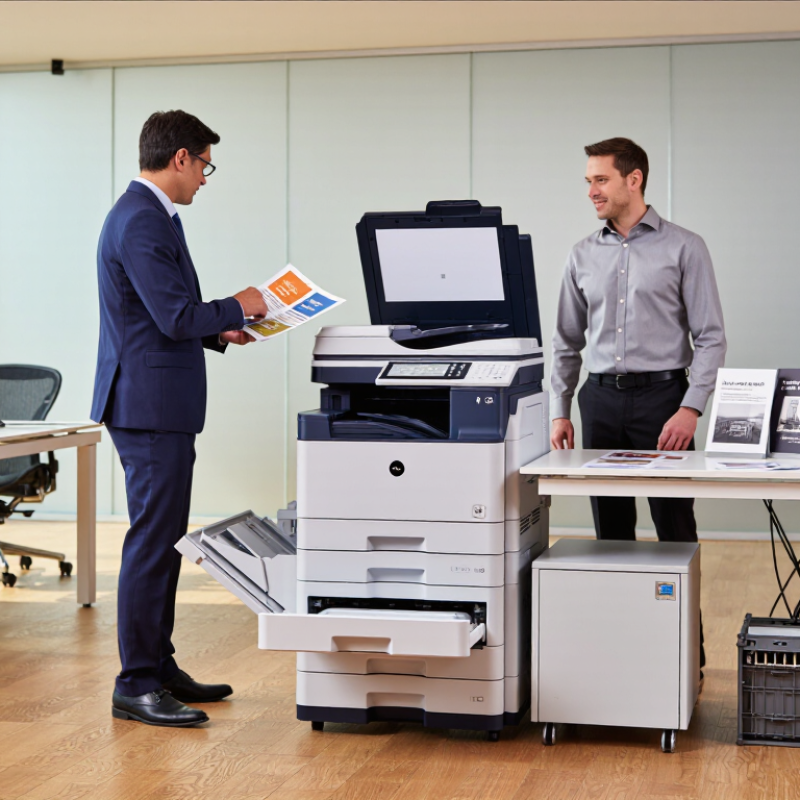
Define Your Printing Needs and Expected Workload
Choosing a printing device starts with an honest picture of your daily work. Count invoices, reports, labels, forms, and occasional color pages. Do not rely on a rough guess. My first estimate was wrong because I ignored weekend projects and reprints.
Record your average monthly volume and your busiest day. A small office may print 800 pages monthly, but a deadline can create 300 pages in one afternoon. Check whether documents need color, duplex printing, scanning, copying, or different paper sizes. A device designed for light home use may struggle with repeated high-volume jobs. Review the recommended monthly range, not only the maximum speed.
Measure your workspace before purchasing. Leave room for paper trays, ventilation, and maintenance access. Running costs matter too. Compare consumable prices, energy use, service intervals, and expected page yield. Manufacturer figures are useful, but real results vary with coverage and paper type. Ask for independent testing when available. Print a sample packet before committing, including a dense spreadsheet, a two-sided report, and a small image. It may reveal slow warm-up times or awkward software settings. That trial is easy to skip. It should not be.
10 Tips for Choosing the Right Printing Device? - Define Your Printing Needs and Expected Workload
| No. | Decision Factor | What to Assess | Practical Guideline | Recommended Specification |
|---|---|---|---|---|
| 1 | Monthly Print Volume | Estimate the average number of pages printed each month. | Include normal usage and seasonal peaks rather than relying on a single busy month. | Choose a device with a recommended monthly volume above your expected average. |
| 2 | Expected Workload | Identify whether printing is occasional, regular, or continuous. | Heavy workloads require stronger paper handling and cooling capacity. | Select a duty-cycle rating at least 20% higher than the highest expected monthly volume. |
| 3 | Print Speed | Determine how quickly documents must be produced. | Speed is less important for occasional printing but critical for queues and deadline-driven work. | About 15–25 pages per minute for light use; 25–45 pages per minute for busy offices. |
| 4 | Color Requirements | Separate essential color work from documents that only need black text. | Color devices generally have higher consumable costs and more complex maintenance. | Choose monochrome for text-heavy work; choose color for charts, presentations, and marketing materials. |
| 5 | Single- or Multi-Function Use | Decide whether scanning, copying, and faxing are also required. | A multifunction device can reduce equipment count and simplify document workflows. | Use a single-function printer for basic output; use a multifunction device for shared office tasks. |
| 6 | Duplex Printing | Assess how often documents are printed on both sides. | Automatic duplexing reduces manual handling and can lower paper consumption. | Select automatic duplex printing for regular reports, forms, and long documents. |
| 7 | Paper Capacity | Estimate the number of pages printed between refills. | Small trays may be adequate for home use but can interrupt high-volume office workflows. | Around 150–250 sheets for light use; 500 sheets or more for shared workgroups. |
| 8 | Connectivity and Users | Consider the number of users and the devices from which they print. | Shared environments benefit from wired networking, wireless access, and secure release options. | Use USB for one computer; use Ethernet or Wi-Fi for multiple users and shared offices. |
| 9 | Running Cost | Compare consumables, maintenance, energy use, and expected service needs. | A lower purchase price may result in higher operating costs over the device’s service life. | Calculate cost per page and review toner or ink yield before purchasing. |
| 10 | Document and Security Needs | Check supported paper sizes, media types, user authentication, and data protection. | Sensitive documents may require access controls, encrypted communication, and secure print release. | Confirm support for required media and select security features appropriate to the workplace. |
Compare Printer Types, Functions, and Print Technologies
10 Tips for Choosing the Right Printing Device?
Compare Printer Types, Functions, and Print Technologies
When choosing a printing device, compare the work before comparing prices. An inkjet suits sharp photographs and occasional color documents. A laser device handles busy offices and crisp text efficiently. Thermal printing works well for labels, receipts, and other specialized media. That distinction matters. Check the expected monthly volume, paper sizes, and required print speed. A device rated for light home use may struggle beside a shared office desk.
Review useful functions, not impressive-looking menus. Automatic duplex printing can reduce paper use during long reports. An automatic document feeder helps when scanning signed forms or multi-page invoices. Wireless access is convenient, but wired networking may provide steadier office performance. Check whether the device supports secure access controls and user permissions. Measure the space around it, including room for open trays and ventilation. Small details become daily annoyances.
Print technology also affects long-term quality and cost. Compare ink or toner yield, replacement frequency, warm-up time, and energy consumption. Pigment ink often resists fading, while dye ink can produce vivid images. Laser output is usually clean on ordinary office paper, but photo results may feel less natural. Ask for a real sample on your preferred paper. I once trusted a specification sheet and ignored paper handling; the device jammed more often than expected. My checklist is not flawless. Leave room for maintenance, noise, and future workload changes.
Evaluate Print Quality, Speed, and Media Compatibility
Choosing the right printing device requires more than reading a speed rating. Print quality should match the work you actually produce. I test small text, fine lines, shaded images, and barcodes on ordinary paper. Look for clean edges, even coverage, and accurate tones under natural light. A sharp sample can still hide banding in large color areas.
Speed claims need careful interpretation. Manufacturers often measure continuous pages, not everyday office tasks. Check the first-page-out time, warm-up delay, and performance with mixed documents. A device rated for 30 pages per minute may slow down with color, duplex printing, or complex graphics. Time a ten-page sample yourself. It is more useful.
Media compatibility also affects reliability. Confirm the supported paper weight, sizes, envelopes, labels, and surface coatings. A straight feed path can reduce curling on heavier stock. Test the exact media you plan to use, including recycled paper with uneven texture. I once chose a fast device that struggled with thick sheets. That mistake changed my evaluation process. Now I check the paper tray guides, drying time, and jam recovery before approval. Specifications are helpful, but real samples expose weaknesses.
Calculate Purchase Costs, Running Expenses, and Maintenance Needs
10 Tips for Choosing the Right Printing Device?
Calculate Purchase Costs, Running Expenses, and Maintenance Needs
A low purchase price can hide a high five-year bill. Estimate total ownership cost before comparing devices. Add the purchase price, delivery, setup, software, and required accessories. Then calculate monthly pages using realistic office records, not optimistic estimates. Small details matter. Costs accumulate.
Price each consumable separately. Include ink or toner, drums, waste containers, paper, and finishing supplies. Divide cartridge cost by its verified page yield. Real results vary with coverage. A page packed with graphics costs more than a plain form. Paper varies. Energy use also affects the budget, especially when a device stays warm all day. Ask for sleep-mode consumption and recovery time. Measure it, if possible.
Maintenance deserves a cash line. Check replacement parts, cleaning routines, service visits, and expected downtime. A device may need little attention during quiet months, then demand frequent care during quarterly reports. I have seen teams underestimate labor because “someone” handles it. That person still spends time. Downtime hurts. Keep a repair reserve, even with a warranty. Compare service terms, response times, and parts coverage carefully. My first estimate would not be perfect; usage changes, paper prices move, and failure rates remain uncertain. Recheck the calculation after three months of actual invoices.
Check Connectivity, Usability, Reliability, and Environmental Features
Tip: Check connectivity before comparing print speed. A suitable device should support wired networks, secure wireless access, and common mobile connections. Test it in the actual workspace. A strong signal in the showroom proves little. Confirm whether it works with your operating systems and existing document tools. Also check access controls, encryption, and firmware update policies. Convenient connection matters when several people share one device.
Tip: Usability should be visible within minutes. Look for a clear control panel, simple paper loading, and readable status messages. Ask someone unfamiliar with the device to complete a basic print task. Their hesitation can reveal hidden complexity. I once selected a fast device with confusing settings. Staff needed frequent help, so the promised efficiency disappeared. That was my mistake.
Tip: Reliability requires more than a long warranty. Review duty-cycle guidance, paper-feed design, maintenance intervals, and independent test results. A device that runs quietly for one week may struggle during monthly reporting. Keep a record of jams, service calls, and consumable use during a trial period. Small failures become expensive interruptions.
Environmental features deserve practical attention. Check energy-saving modes, automatic sleep settings, duplex printing, and recyclable material information. Measure paper waste near the device, not only in a brochure. Some eco settings may slow urgent jobs, and users may disable them. That trade-off needs honest discussion. Choose equipment with replaceable components and clear end-of-life instructions. Performance, usability, and environmental responsibility must work together in daily conditions.
10 Tips for Choosing the Right Printing Device
Practical evaluation scores for connectivity, usability, reliability, and environmental features
The scores use a 1–10 evaluation scale to compare the practical importance of common device-selection criteria. Connectivity, ease of use, dependable operation, and energy-conscious features should be assessed together with printing volume, security requirements, and total ownership cost.